

Tech Deck: Golden Hour
Two fingers. An entire park. One perfect line.
How to play
The camera follows behind the automatically rolling board. Live dots show your fingertips. Move your index fingertip off the board to guide it toward that screen position; bring it over the deck to go straight. Pinch thumb and index over the glowing deck, then release to ollie. Hold longer for more height. After release, flick your index finger across the deck to flip, or scoop your middle finger sideways or twist both fingers for a shuv-it. Pinch again in the air to catch. A fist brakes. Touch or mouse: hold off the board to steer toward your pointer; press the deck and release to ollie. Airborne, swipe across the deck to flip, pull toward the tail then sideways to shuv-it, or tap to catch. Drag down and hold to brake. Keyboard: A/D or Left/Right steers, S/Down brakes, W/Up rolls, hold/release Space to ollie; airborne Q/E flips, Z/X shuvs, Space catches. Reset board, R, or a one-second thumb-up hold returns you to clear ground and keeps your progress. Explore ramps, grind rails and link tricks.
Tech Deck: Golden Hour is a free 3D browser game by makka.
- Play now
- Free in your browser · No download
- Style
- 3D · Chill
- Controls
- Drag and Release
- Languages
- English, Español, Français, Deutsch, Português (Brasil), 日本語, 한국어, 简体中文, العربية, हिन्दी
- Added
“perfect, the only issue is sometimes this random screen covering comes on i don't know whhy -- jsut a blocking colour of most of the screen”
Tap the game to play it in the app, then swipe up for the next game.
About Tech Deck: Golden Hour: quick answers
What is Tech Deck: Golden Hour?
Tech Deck: Golden Hour is a free 3D browser game by makka.
How do you play Tech Deck: Golden Hour?
The camera follows behind the automatically rolling board. Live dots show your fingertips. Move your index fingertip off the board to guide it toward that screen position; bring it over the deck to go straight. Pinch thumb and index over the glowing deck, then release to ollie. Hold longer for more height. After release, flick your index finger across the deck to flip, or scoop your middle finger sideways or twist both fingers for a shuv-it. Pinch again in the air to catch. A fist brakes. Touch or mouse: hold off the board to steer toward your pointer; press the deck and release to ollie. Airborne, swipe across the deck to flip, pull toward the tail then sideways to shuv-it, or tap to catch. Drag down and hold to brake. Keyboard: A/D or Left/Right steers, S/Down brakes, W/Up rolls, hold/release Space to ollie; airborne Q/E flips, Z/X shuvs, Space catches. Reset board, R, or a one-second thumb-up hold returns you to clear ground and keeps your progress. Explore ramps, grind rails and link tricks.
Is Tech Deck: Golden Hour free to play?
Yes. Tech Deck: Golden Hour is free to play in your browser. The feed includes ads between games. See pricing for available subscriptions and creation credits.
Does Tech Deck: Golden Hour work on mobile?
Tech Deck: Golden Hour runs in a modern browser on a phone, tablet or computer, with no download or install. Device performance and browser support can vary.
What controls does Tech Deck: Golden Hour use?
The game’s instructions describe these actions: Drag and Release. Check the instructions in the game for where to use them.
More by makka
See all 3DGem. Total: 5.
Sandstorm GPTwin-engine pod racing across alien worlds
3DGem. Total: 5.
Sandstorm GPTwin-engine pod racing across alien worlds
 3DGem. Total: 4.
Apex HandsSteer a Formula 1 car with your bare hands.
3DGem. Total: 4.
Apex HandsSteer a Formula 1 car with your bare hands.
 3DGem. Total: 4.
Feel the AGIRace down the neural tunnel to the singularity.
3DGem. Total: 4.
Feel the AGIRace down the neural tunnel to the singularity.
 3DGem. Total: 4.
Squid Game: Don't BlinkGreen means walk. Red means don't blink.
3DGem. Total: 4.
Squid Game: Don't BlinkGreen means walk. Red means don't blink.More like this
All games 3DGem. Total: 2.
Wake RiderCarve the wake, launch huge, stick the landing.
3DGem. Total: 2.
Wake RiderCarve the wake, launch huge, stick the landing.
 3DGem. Total: 1.
Powder ClubLean into the mountain. Put a little spin on it.
3DGem. Total: 1.
Powder ClubLean into the mountain. Put a little spin on it.
 3DGem. Total: 0.
Send It!Pump, pop, flip, stomp it.
3DGem. Total: 0.
Send It!Pump, pop, flip, stomp it.
 3DGem. Total: 0.
Glove UpWii-style boxing with your real fists.
3DGem. Total: 0.
Glove UpWii-style boxing with your real fists.
 3DGem. Total: 4.
All Blacks RugbyRun, sidestep and haka your way through the world tour
3DGem. Total: 4.
All Blacks RugbyRun, sidestep and haka your way through the world tour
 3DGem. Total: 3.
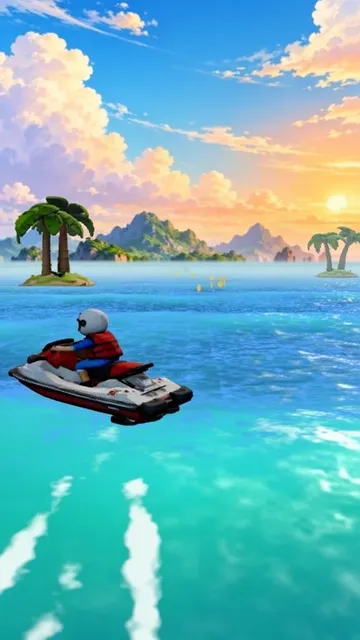
Wave RiderHold to steer. Tap to jump. Spin for combos.
3DGem. Total: 3.
Wave RiderHold to steer. Tap to jump. Spin for combos.
 3DGem. Total: 3.
Super Mario Skate 64Flick-It tricks, grind rails and grab Power Stars on a skateboard.
3DGem. Total: 3.
Super Mario Skate 64Flick-It tricks, grind rails and grab Power Stars on a skateboard.
 3DGem. Total: 3.
F*** S*** UpWreck the whole city with guns, flames, rockets and a jetpack.
3DGem. Total: 3.
F*** S*** UpWreck the whole city with guns, flames, rockets and a jetpack.