

Banger Rally XP
WinXPee에서 고물차를 사서 랠리에 나가세요. 죽지 않도록 노력하세요.
플레이 방법
키(I)를 돌리고, 스페이스를 누른 채 W를 끝까지 밟고, 심판의 표지판이 올라가면 놓으세요. 결승선 뒤에는 표시된 칸에 주차하세요. W/S 가속과 브레이크, A/D 조향, Q/E 기어, C 와이퍼, L은 밤에 헤드라이트, N을 누르고 있으면 순위표, 컨트롤러도 됩니다. 바퀴 자국과 푸석한 흙이 타이어를 끌어당기면 손안의 핸들이 떨리니 계속 바로잡으세요. 정비소에서는 터미널, 보닛, 문 앞에서 E를 누르세요. 터미널에는 저장된 게임(매 스테이지와 방문마다 자동 저장, 직접 저장은 두 개), 부품 시트와 도색 시트(골라서 차에서 확인한 뒤 결제하거나 취소), 직접 칠할 스프레이 캔, 개즈의 무료 부품 세 개가 있습니다. 돈이 떨어지면 엄마 아빠에게 빌리세요. 차가 안 움직이면 T를 눌러 견인차를 부르세요. 그걸로 런은 끝입니다. V는 카메라 전환. 수동 기어는 설정에 있습니다. 핸들은 락에서 락까지 900도 돌아가며, 빠르게 돌릴 때는 운전자가 손을 번갈아 넘깁니다. 한 스테이지에서 Q나 E를 두 번 누르면 자동이 수동으로 바뀌고, 설정에서 되돌릴 때까지 유지됩니다. 설정에서 화면 계기판도 숨길 수 있습니다.
Banger Rally XP은(는) Spacey의 무료 3D 브라우저 게임이에요.
- 지금 플레이
- 브라우저에서 무료 · 다운로드 불필요
- 스타일
- 3D · 편안함
- 언어
- English, Español, Français, Deutsch, Português (Brasil), 日本語, 한국어, 简体中文, العربية, हिन्दी
- 추가일
- 업데이트일

“Banger Rally XP 🚗 Core Concept "Banger Rally XP" is a retro-styled, highly realistic rally racing game where the player buys clapped-out, low-budget "s***boxes" from a fictional, satire-filled Windows XP-era web terminal and races them on brutal rally stages. While the game features low-poly, PS1-era aesthetics, it utilizes hardcore, realistic driving physics and hyper-detailed vehicle deformation. 🛠️ Key Gameplay Systems 1. The Dynamic & Economic Loop • The OS Interface: The entire main menu is a parody of Windows XP (called "Windows eXcrement" or "WinXPee"). It features a clunky desktop, funny error pop-ups, and a slow dial-up internet browser. • The Auction House ("AutoTrauma"): Players browse a Craigslist/AutoTrader parody site to buy cars. Listings feature funny descriptions from previous owners (e.g., "1998 Honda Civic, blown head gasket, smells like old milk, no lowballs"). • The Progression: Players start with literal junk (broken hatchbacks, rusted minivans) and grind low-tier amateur rallies. The ultimate, end-game "holy grail" car is a legendary, slightly less-clapped-out 1995 BMW 3 Series (E36). 2. Physics vs. Graphics (The Contrast) • Visual Style: Aggressive 32-bit PS1 aesthetics. Features heavy pixelation, vertex snapping, jittery textures, and low-polygon models. • Driving Physics: Highly realistic, hardcore simulation handling inspired by DiRT Rally and Richard Burns Rally. Weight transfer, loose gravel traction, and tire slip are simulated perfectly. • Damage System: High-fidelity, real-time soft-body physics inspired by BeamNG.drive. Despite the PS1 graphics, the cars crumple dynamically. Fenders fly off, radiators overheat upon impact, axles bend, and engines stall. 3. The Illusion of Speed & Sensory Design Even though the cars are mechanically terrible and struggle to cross 140 km/h, the game must feel terrifyingly fast. • Camera Movement: Violent camera shake, intense cockpit vibration, and dynamic Field of View (FOV) widening the faster the car goes. • Environment Design: Trees, bushes, and crowd sprites are placed tightly along the narrow tracks, creating an aggressive blur as they fly past the windows. • Audio Design: Obnoxiously loud, uninsulated cabin noise. Screaming, rattling exhaust notes, gravel violently pinging off the thin floorboards, and a whining transmission. • VFX: Massive, thick columns of low-poly dust and black exhaust smoke billowing out behind the car. 4. The Forza-Style "Junk" Upgrade System Upgrades mimic the depth of Forza Motorsport (Engine Swaps, Turbo/Supercharger conversions, Drivetrain swaps, Weight reduction) but with a hilarious twist: • Super Cheap Parts: Because it's junk, upgrades cost pennies. You can put a sketchy, junkyard twin-turbo setup on a 1.0L hatchback for $50. • Sketchy Descriptions: Upgrades are held together by zip-ties and duct tape. "Stage 3 Weight Reduction" literally means just kicking the passenger door and back seats out of the car. 5. The Amateur Co-Driver Instead of a professional, calm co-driver reading precise pace notes, the co-driver is just the player's clueless, terrified friend. • Pace Notes: Unprofessional and panicked. Instead of "Right 4 into Left 2, don't cut," they scream: "Oh god, turn right up ahead! The sharp one! Watch out for that massive rock, dude!" • Dynamic Audio: They scream louder if you take a jump too fast, cough heavily if the cabin fills with engine smoke, and sigh in relief when you cross the finish line. 💡 How would you like to build on this? make the game a roguelike for each stage between rounds u get to jump on the auction house and trick out ur s*** box with forza level customiseation based on what is aviable at the time for ur car (roguelike) and the stages are proceduaral with roguelike modifiers some might be snow others might be massive jumps or mud rain etc.. Here is the updated Game Design Document prompt, overhauled to pivot the game into a high-stakes, procedural roguelike rally simulator. Game Design Document & Development Prompt: "Banger Rally XP: Roguelike Edition" 🚗 Core Concept "Banger Rally XP" is a retro-styled, highly realistic roguelike rally racing game. Players navigate a permadeath "run" across procedurally generated stages, piloting clapped-out "s***boxes" bought from a satirical Windows XP-era web terminal. The game combines 32-bit PS1 aesthetics with hardcore simulation driving physics (DiRT Rally) and hyper-detailed soft-body deformation (BeamNG.drive). Between fast, terrifying, and slow stages, players manage their survival by buying randomized junk parts and vehicle upgrades from a constantly shifting online auction house. 🛠️ Updated Roguelike Gameplay Systems 1. The Roguelike Run Loop • The Desktop Hub: Between stages, the game boots into "WinXPee" (a funny Windows XP parody). The player must click through annoying pop-up errors and slow dial-up screens to manage their run. • The Permadeath Stakes: If the car is completely totaled (e.g., engine block splits, chassis wraps around a tree) or the player runs completely out of cash to fix terminal damage, the run ends. • The End Goal: Survive a gauntlet of increasingly chaotic regional qualifiers to reach the grand finale event. Winning the final rally rewards enough cash to purchase the legendary, pristine 1995 BMW 3 Series (E36), successfully beating the game. 2. The Roguelike Auction House ("AutoTrauma") Instead of a static garage, upgrading is an RNG-driven draft system disguised as a sketchy auction website. • Randomized Inbound Inventory: After every stage, "AutoTrauma" refreshes with a completely randomized, limited selection of parts compatible with your current s***box. • Deep Customisation (Forza-Level but Janky): Deep mechanical choices are available (Forza-style Engine Swaps, Drivetrain swaps, Turbo/Supercharger conversions, Suspension tuning), but you can only buy what is currently listed on the web terminal. • High Volatility: You might desperately need tires but find only a cheap V8 engine swap extracted from a crashed tractor. Because it is junk, parts are dirt-cheap, encouraging chaotic, experimental builds (e.g., twin-turbocharging a 3-cylinder rust-bucket for $45). 3. Procedural Stages & Roguelike Modifiers Tracks are never the same twice. The map screen mimics a virus-infected network node tree where players choose their next branch based on visible stage risk and reward modifiers. • Procedural Track Generation: Narrow pathways, sudden hairpin turns, and cliffside drops are stitched together dynamically. • Environmental Modifiers: Stages roll random, brutal hazards: • Black Ice / Fresh Snow: Zero traction, requiring immediate tire changes. • Deep Monsoon Mud: Thick sludge that slows down low-horsepower cars and overheats engines. • Sledgehammer Hail: Constant low-poly hail damaging windshields and limiting visibility. • Structural Layout Modifiers: • “Send It” Layout: Adds massive, unsafe jumps that test the soft-body chassis limit. • “Oops, All Ditches”: Deep trenches lining both sides of a highly technical, winding road. 4. Physics, Visuals, & Sensory Speed • Hardcore Handling: Realistic weight transfer and tire physics contrast heavily with the crunchy, jittery PS1 vertex-snapping graphics. • Dynamic Crumple Zones: Soft-body deformation means clipping a rock at 40 MPH will permanently bend the axle for the rest of the stage, causing the car to pull aggressively to the right. • Sensory Overload: Violent camera shakes, loud exhaust rattles, stones pinging against thin metal floors, and trees blurring past tightly squeezed fences make 45 MPH feel like terminal velocity. 5. The Terrified Amateur Co-Driver The co-driver reads procedural, unhinged pace notes dynamically generated by the stage modifiers: • During a Jump modifier: "Oh my god, there's a massive crest coming up, please don't jump it, please—WE'RE FLYING, STOP!" • During a Mud modifier: "It's just soup, dude! Turn right into the soup! My window won't roll up!" Now that the core loop is a roguelike, what should we build out next? I can help you with: • Designing a mock "WinXPee Network Map" showing how the stage choices, rewards, and modifier nodes link together. • Writing a pool of items and descriptions for the AutoTrauma auction house (including funny, cheap Forza-level engine swaps). • Creating a blueprint for the procedural track generator logic. the only camera is a cockpit view where u have an anmimated steering wheel gear shifts pedels move co pilot rattles around while trying to read the pacenotes Here is the updated Game Design Document prompt, locked down to an immersive, hyper-detailed, first-person cockpit perspective that amplifies the game's chaotic sense of speed. Game Design Document & Development Prompt: "Banger Rally XP: Roguelike Edition" 🚗 Core Concept "Banger Rally XP" is a first-person, retro-styled roguelike rally racing game. Driven entirely from a fixed cockpit view, players navigate a permadeath gauntlet across procedurally generated hazard stages in clapped-out "s***boxes." The game combines 32-bit PS1 visuals with hardcore simulation driving physics (DiRT Rally) and hyper-detailed soft-body vehicle deformation (BeamNG.drive). Between stages, players log onto a satirical Windows XP desktop ("WinXPee") via an in-game CRT monitor terminal to buy randomized, dirt-cheap junk parts (Forza-style customisation) to keep their rust-bucket running. 🎥 The Fixed Cockpit View & Kinetic Physics To maximize the feeling of terror and speed while driving slow cars, the only available camera angle is the Cockpit View. The entire interior is a reactive, physics-driven playground of low-poly chaos. 1. Fully Animated Controls • The Steering Wheel: Rapidly spins and jerks violently in the driver's hands, mirroring the actual tire slip and weight transfer of the realistic physics engine. • The Gear Shifter & Pedals: Dynamic animations trigger on every shift and pedal press. If the transmission is damaged, the shifter violently grinds and shakes in its boot. • Dash Elements: A cracked windshield that fractures further on impact, a shaking rearview mirror held on by duct tape, and a bouncing air freshener. Analog gauges flicker, and the check engine light is permanently glowing. 2. The Physics-Driven Co-Driver Your amateur, terrified co-driver sits right next to you in the cabin, completely subject to the game's brutal BeamNG-style G-forces. • Ragdoll & Kinetic Movement: When you smash over a crest, hit a pothole, or slide sideways into a ditch, the co-driver violently rattles, bounces, and leans around the cabin. • The Clipboard Chaos: They are actively trying to read handwritten, procedural pace notes off a flimsy clipboard. If you take a massive jump, their hands fly up, the clipboard hits the ceiling, and they lose track of the notes, screaming in panic until they can gather themselves. • Environmental Reactions: If the car rolls, they tuck into a fetal position. If the engine starts smoking, they aggressively wave their hands to clear the air in front of their face. 3. Sensory Speed & Camera Behavior • Violent Vibration: The cockpit camera isn't rigid; it behaves like a human head. It rattles aggressively on gravel, dips forward under heavy braking, and tilts back during acceleration. • The 50 MPH Tunnel Vision: Because the trees, mud, and rocks fly directly past the side windows just inches from the cabin, driving a 60-horsepower rust-bucket at 45 MPH feels like tearing through hyperspace. 🛠️ Core Roguelike Systems 1. The Roguelike Run Loop & "AutoTrauma" • The UI Transition: When you finish a stage, the camera pans slightly to the right as your character boots up a bulky, cracked CRT monitor sitting on the passenger seat. This launches "WinXPee" and the "AutoTrauma" auction terminal. • Randomized Draft Customisation: You draft random, ultra-cheap Forza-level upgrades (e.g., a $30 junkyard turbo or a sketchy AWD drivetrain swap) from what is currently available on the web terminal. • The E36 Finale: Survive the procedural stages, manage your terminal vehicle damage, and accumulate enough cash to finally bid on the ultimate end-game prize: a 1995 BMW 3 Series (E36). 2. Procedural Hazards Tracks are dynamically stitched together, combining layout and weather modifiers (e.g., Deep Monsoon Mud, Black Ice, “Send It” Jumps). Because you cannot see past your own dashboard, reading the environment through the grime on your windshield and listening to your panicked co-driver is your only hope of survival. With the first-person cockpit perspective locked in, what should we focus on next? I can help you with: • Creating a blueprint for the Cockpit Camera Script (handling shake, G-force head-tilt, and crash impacts). • Writing a dialogue and animation script for the co-driver losing their clipboard during a jump. • Designing the "WinXPee" CRT Monitor Interface that sits in the passenger seat between rounds. it needs to work well on keyboard To make a hardcore simulation rally game like DiRT Rally playable, responsive, and genuinely fun on a keyboard, the game engine needs to implement steering filters, digital-to-analog emulators, and smart assists behind the scenes. Here is how "Banger Rally XP" handles keyboard inputs so it feels realistic without being an unplayable spin-fest. Keyboard Input & Handling Mechanics: "Banger Rally XP" 🎹 The Core Problem & The Solution Keyboards are binary (digital): a key is either 100% pressed or 0% pressed. If a player taps 'A' or 'D', a realistic physics engine would instantly slam the front wheels to full lock, causing the car to snap-spin instantly. To solve this, the game implements a Dynamic Steering Rate Filter that acts like an invisible, high-speed driver smoothly turning the wheel for you based on the car's current speed and traction. 🛠️ Keyboard Control Mapping (Default Layout) The layout relies on standard driving controls, keeping the mouse free for navigating the "WinXPee" desktop browser between stages. • W / S: Throttle / Brakes • A / D: Steering Left / Right • Spacebar: Handbrake (Crucial for throwing these clapped-out s***boxes around hairpins) • Left Shift / Left Ctrl: Manual Gear Shift Up / Down • C: Wipe Grime/Mud off the windshield (Manually activating wipers when the view gets blocked) ⚙️ Behind-the-Scenes Keyboard Assists (The "Feel" Engine) 1. Speed-Sensitive Steering Scaling • Low Speed (0–20 MPH): Steering response is incredibly fast. This allows you to quickly catch slides, execute tight handbrake turns, and navigate procedural hairpins. • High Speed (40+ MPH): The game automatically caps the maximum steering angle to a few degrees. Tapping 'A' at high speed won't wreck your car; it will smoothly guide it, preventing the tires from scrubbing, losing traction, and sending you into a tree. 2. Return-to-Center Interceptors • When you let go of 'A' or 'D', the wheels don't instantly snap back to straight. The game calculates a Return Rate tied to the car's self-aligning torque (how the physics engine pushes the wheels back naturally). • This creates a smooth transition when exiting a drift. It prevents the violent "tank-slapper" effect where a keyboard player overcorrects back and forth until they crash. 3. Tap-Steering "Pulse" Interpolation • Hardcore keyboard players use "tapping" to maintain a specific steering angle. The game tracks the frequency of your taps. • If you tap 'D' rapidly, the steering system glues those taps together into a smooth, steady 30% right-turn angle rather than violently jerking the animated steering wheel back and forth. 4. Dynamic Throttle & Brake Smoothing (Traction Buffers) • Because you can't feather the gas pedal on a keyboard, hitting 'W' instantly dumps 100% power to the wheels. For low-horsepower s***boxes, this isn't a massive issue, but once you buy a cheap Forza-style turbo upgrade, it will spin the tires instantly. • The Fix: A tiny fraction of a second (e.g., 0.15s) of input smoothing is applied to the throttle and brakes. It acts like a progressive pedal push, giving the physics engine time to transfer weight to the back tires before they completely break loose. 📺 First-Person Visual Feedback for Keyboard Players Because you don't have the physical resistance of a steering wheel or controller triggers, visual and audio feedback tell you exactly what your tires are doing: • The Steering Wheel Animation: The animated wheel inside the cockpit does not match your raw keyboard taps. It matches the filtered wheel angle. If you tap 'A', you will see the hands smoothly counter-steer to catch the slide, letting you visually gauge your exact drift angle. • Audio "Slip" Cues: Since you can't feel tire vibrations through a keyboard, the audio engine amplifies the sound of rocks grinding against the wheel wells and tires screeching/scrubbing when you push past the grip threshold. i have included some images for the vibe im going for also dont include these in the gmae just there for the visual guidence also add multiplayer with up2 4 friends each player will race seperatly but u will all go through the rogue like sytem together at the end of evey1s race u will be scored based off ur postion and time set less time the better each rally will have bunch of stages until everyplayer either runs of of money and cars 2 damaged dnf or they get to the end of the randomised procedual stages every player will get random things they can buy and diff starter car options but keep it fairly balanced a bit of rng is always fun u can keep track of the other drivers times and standing by pressing L space is handbreak w is gass left right a and d s is break if u want to enable gear changes q and e change gear auto be defualt make the ui match the ammeter nature of the whole thing once u guys finsh the final stage there is a podium cut scene with either bots or players total amount of bots per rally is 3 so 4 total player either offline or online”
최고 점수
- 1@negevonb1,040
- 2@zanehall0
게임을 탭해 앱에서 플레이한 다음 위로 스와이프하면 다음 게임으로 넘어가요.
Banger Rally XP: 자주 묻는 질문
Banger Rally XP은(는) 어떤 게임인가요?
Banger Rally XP은(는) Spacey의 무료 3D 브라우저 게임이에요.
Banger Rally XP은(는) 어떻게 플레이하나요?
키(I)를 돌리고, 스페이스를 누른 채 W를 끝까지 밟고, 심판의 표지판이 올라가면 놓으세요. 결승선 뒤에는 표시된 칸에 주차하세요. W/S 가속과 브레이크, A/D 조향, Q/E 기어, C 와이퍼, L은 밤에 헤드라이트, N을 누르고 있으면 순위표, 컨트롤러도 됩니다. 바퀴 자국과 푸석한 흙이 타이어를 끌어당기면 손안의 핸들이 떨리니 계속 바로잡으세요. 정비소에서는 터미널, 보닛, 문 앞에서 E를 누르세요. 터미널에는 저장된 게임(매 스테이지와 방문마다 자동 저장, 직접 저장은 두 개), 부품 시트와 도색 시트(골라서 차에서 확인한 뒤 결제하거나 취소), 직접 칠할 스프레이 캔, 개즈의 무료 부품 세 개가 있습니다. 돈이 떨어지면 엄마 아빠에게 빌리세요. 차가 안 움직이면 T를 눌러 견인차를 부르세요. 그걸로 런은 끝입니다. V는 카메라 전환. 수동 기어는 설정에 있습니다. 핸들은 락에서 락까지 900도 돌아가며, 빠르게 돌릴 때는 운전자가 손을 번갈아 넘깁니다. 한 스테이지에서 Q나 E를 두 번 누르면 자동이 수동으로 바뀌고, 설정에서 되돌릴 때까지 유지됩니다. 설정에서 화면 계기판도 숨길 수 있습니다.
Banger Rally XP은(는) 무료인가요?
네. Banger Rally XP은(는) 브라우저에서 무료로 플레이할 수 있어요. 피드에서는 게임 사이에 광고가 나와요. 이용 가능한 구독과 제작 크레딧은 요금 페이지를 확인해 주세요.
Banger Rally XP은(는) 휴대폰에서도 되나요?
Banger Rally XP은(는) 휴대폰, 태블릿, 컴퓨터의 최신 브라우저에서 다운로드나 설치 없이 실행돼요. 기기 성능과 브라우저 지원에 따라 차이가 있을 수 있어요.
Spacey의 다른 게임
모두 보기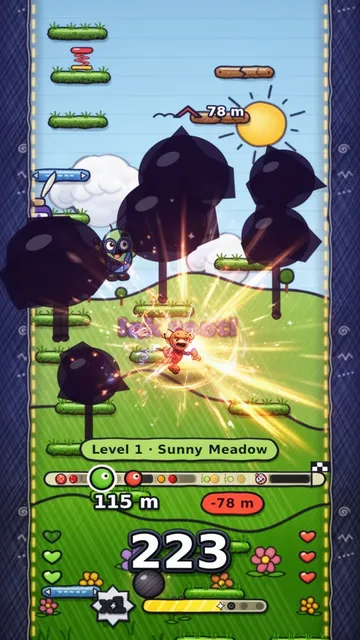 multiplayer젬. 총 개수: 6.
스케치 홉1레벨부터 시작해서 계속 올라가요, 레벨마다 쭉쭉!
multiplayer젬. 총 개수: 6.
스케치 홉1레벨부터 시작해서 계속 올라가요, 레벨마다 쭉쭉!
 3D젬. 총 개수: 4.
슈퍼 펜트 리액터 '98지하실을 돌려라. 동네에 전력을. 밤을 지배하라.
3D젬. 총 개수: 4.
슈퍼 펜트 리액터 '98지하실을 돌려라. 동네에 전력을. 밤을 지배하라.
 3D젬. 총 개수: 4.
클랭커스트라이크그로브 스트리트 패밀리 vs 발라스. 실제 CS:GO 총기와 모든 칼, 스킨을 만나보세요! 산 안드레아스의 그로브 스트리트를 재현한 맵에서 펼치는 5v5 폭탄 해체전.
3D젬. 총 개수: 4.
클랭커스트라이크그로브 스트리트 패밀리 vs 발라스. 실제 CS:GO 총기와 모든 칼, 스킨을 만나보세요! 산 안드레아스의 그로브 스트리트를 재현한 맵에서 펼치는 5v5 폭탄 해체전.
 3D젬. 총 개수: 3.
ClankerD&DEnter empty-handed. Leave together.
3D젬. 총 개수: 3.
ClankerD&DEnter empty-handed. Leave together.비슷한 게임 더 보기
모든 게임 3D젬. 총 개수: 0.
로드스터 스턴트 나이트추진기 슈퍼카로 거대한 램프에서 킥플립
multiplayer젬. 총 개수: 6.
스케치 홉1레벨부터 시작해서 계속 올라가요, 레벨마다 쭉쭉!
3D젬. 총 개수: 0.
로드스터 스턴트 나이트추진기 슈퍼카로 거대한 램프에서 킥플립
multiplayer젬. 총 개수: 6.
스케치 홉1레벨부터 시작해서 계속 올라가요, 레벨마다 쭉쭉!
 3D젬. 총 개수: 5.
Sandstorm GP낯선 행성을 가르는 트윈 엔진 포드 레이싱
3D젬. 총 개수: 4.
클랭커스트라이크그로브 스트리트 패밀리 vs 발라스. 실제 CS:GO 총기와 모든 칼, 스킨을 만나보세요! 산 안드레아스의 그로브 스트리트를 재현한 맵에서 펼치는 5v5 폭탄 해체전.
3D젬. 총 개수: 5.
Sandstorm GP낯선 행성을 가르는 트윈 엔진 포드 레이싱
3D젬. 총 개수: 4.
클랭커스트라이크그로브 스트리트 패밀리 vs 발라스. 실제 CS:GO 총기와 모든 칼, 스킨을 만나보세요! 산 안드레아스의 그로브 스트리트를 재현한 맵에서 펼치는 5v5 폭탄 해체전.
 3D젬. 총 개수: 3.
랩 랫츠: 감시자실험쥐로 함정 미로를 달리거나, 감독관으로 미로를 지배하세요.
3D젬. 총 개수: 3.
랩 랫츠: 감시자실험쥐로 함정 미로를 달리거나, 감독관으로 미로를 지배하세요.
 3D젬. 총 개수: 3.
Sky Runway우주의 활주로. 틈을 조심해요.
3D젬. 총 개수: 3.
Sky Runway우주의 활주로. 틈을 조심해요.
 multiplayer젬. 총 개수: 2.
두들 점프 대결라이벌보다 먼저 정상까지 점프!
multiplayer젬. 총 개수: 2.
두들 점프 대결라이벌보다 먼저 정상까지 점프!
 3D젬. 총 개수: 1.
Counter Strike: San AndreasDust II에서 블러즈 vs 크립스. 5v5, 빈 자리는 봇이 전부 채워요.
3D젬. 총 개수: 1.
Counter Strike: San AndreasDust II에서 블러즈 vs 크립스. 5v5, 빈 자리는 봇이 전부 채워요.